

To track and optimize gamer lifestyle expenses like a pro analyst, separate gaming costs by category, log every purchase, and calculate value in hours played and enjoyment, not just price. Use a simple spreadsheet or gaming expense tracker app, review monthly, cancel low-value subs, and plan hardware and games from a fixed budget.
Essential Metrics Every Gamer Should Track
- Monthly total gaming spend (hardware, games, subscriptions, in-game purchases, snacks, peripherals).
- Hours played per game and per platform, updated at least weekly.
- Cost per hour for each game, console, PC part, and subscription.
- Number of active subscriptions and how many you used in the last 30 days.
- One-off impulse purchases per month and their total cost.
- Planned vs. actual spending against your gaming budgeting tips/targets.
- Upcoming big-ticket items (upgrades, consoles, VR) with target dates and savings progress.
Structuring a Gamer-Centric Budget: Categories, Cadence, and Targets
This approach suits gamers who want control over spending without killing fun: students balancing limited cash, working adults with multiple subscriptions, or anyone planning cheap gaming setup ideas over time. It is not ideal if you are dealing with debt or addiction-level spending; in that case, seek professional financial or mental health support first.
Start by defining a dedicated monthly gaming budget, separate from essentials like rent, food, or healthcare. Even a modest, fixed amount makes decisions clearer and prepares you for how to save money on video games without feeling deprived.
Core budget categories for gamers
- Hardware: PC parts, consoles, monitors, controllers, headsets, VR gear.
- Games: Full-price titles, sales, bundles, DLC, early access.
- Subscriptions: Online services, game passes, MMOs, cloud gaming, “best gaming subscription deals.”
- In-game spending: Skins, battle passes, loot boxes, boosts, cosmetics.
- Peripherals & comfort: Chairs, mousepads, cables, webcams, lighting.
- Social & events: LANs, tournaments, esports tickets, local meetups, snacks for game nights.
Cadence: how often to track and review
- Daily/after each session: Quick notes on new purchases (especially microtransactions).
- Weekly: Log hours played per game and check subscription usage.
- Monthly: Full review of spending vs budget, cancel or adjust subscriptions, plan next month.
- Quarterly: Decide on major hardware upgrades or larger projects.
Sample budget targets
- Define a maximum percentage of your income for gaming (for example, a safe, modest slice that does not affect essentials).
- Assign soft caps per category: e.g., subscriptions < games, microtransactions < 20% of gaming budget.
- Prioritize saving for big hardware before spontaneous game and cosmetic spending.
Example tracking template (copy into a spreadsheet)
| Date | Category | Item / Service | Platform / Store | Amount | Hours Played (to date) | Cost per Hour | Planned or Impulse? | Notes (fun, regret, value) |
|---|---|---|---|---|---|---|---|---|
| 2026-04-01 | Subscription | Game Pass | Xbox | 14.99 | 25 | 0.60 | Planned | Played 4 games this month, very good value. |
| 2026-04-05 | In-game | Battle Pass | Steam | 9.99 | 6 | 1.67 | Impulse | Fun for a week, then stopped playing. |
Selecting and Integrating Tracking Tools: From Spreadsheets to APIs
Choose tools that are simple enough that you will actually use them daily or weekly. A lightweight gaming expense tracker app is usually enough; only add complexity (APIs, automation) after you have used a manual system for at least a month.
What you will need
- A place to log transactions (spreadsheet, note app, or tracker).
- Access to bank, card, and store transaction history (Steam, PlayStation, Xbox, Nintendo, Epic, mobile stores).
- Playtime data from platforms (Steam stats, console playtime, in-game timers).
- Calendar or reminder system for weekly and monthly reviews.
Comparative table of tracking tools
| Tool Type | Example Use | Pros | Cons | Best for |
|---|---|---|---|---|
| Spreadsheet (Excel, Google Sheets) | Copy the sample template and add formulas for cost/hour. | Highly customizable, free, good overview, easy to export. | Manual data entry, no automatic bank sync by default. | Intermediate users who enjoy tweaking and seeing detail. |
| Generic budgeting app | Create a “Gaming” category with subcategories for hardware, games, subs. | Links to bank/credit card, automatic categorization, alerts. | Gaming-specific metrics (hours, cost/hour) often missing. | People who already budget and want gaming tracked with other expenses. |
| Gaming expense tracker app | Log purchases, link platforms, track time and cost per hour automatically. | Designed for gamers, includes playtime metrics, easier ROI views. | May cost money or require subscriptions, features vary widely. | Gamers focused on optimization and simple dashboards. |
| Custom scripts / APIs | Pull data from store and platform APIs into a database or sheet. | Maximum automation and control, ideal for pro-analyst style reporting. | Requires coding skills and time; higher complexity, maintenance overhead. | Tech-savvy users who want deep analysis across multiple platforms. |
Safe and simple integration workflow
- Start with manual logging for 2-4 weeks to understand your patterns.
- Use exports (CSV) from stores and banks instead of sharing credentials with random apps.
- Test one tool at a time; do not connect every account on day one.
- For privacy, avoid tools that require unnecessary data or permissions.
- Back up your spreadsheet or data regularly (cloud plus one offline copy).
Evaluating Hardware and Subscription ROI: When to Buy, Upgrade, or Cancel
Before making big decisions, keep these risk and limitation points in mind:
- Do not use credit or high-interest loans for non-essential gaming purchases.
- Do not cut into rent, bills, food, healthcare, or emergency savings to afford gaming.
- Be cautious with preorders and non-refundable in-game purchases; value is uncertain.
- Subscription trials can auto-renew; set reminders to reassess before renewal dates.
- Hardware benchmarks and reviews can change with new patches and games; avoid rushing decisions.
- List all current subscriptions and hardware in use
Write down every recurring service: game passes, MMOs, cloud gaming, storage, “best gaming subscription deals,” and similar. Then list your main hardware: PC build, consoles, peripherals, and any ongoing payment plans. - Attach costs and usage to each item
For each subscription, note its monthly cost and how many sessions/hours you used it in the last 30 days. For hardware, estimate hours used since purchase and your expected remaining lifespan.- Subscriptions: cost per active day or per gaming hour.
- Hardware: total cost divided by total hours used.
- Calculate simple ROI metrics safely
Focus on low-risk, easy calculations:- Cost per hour: price ÷ hours played.
- Value score (subjective): rate fun/utility from 1-5.
- Future use probability: low, medium, high over the next 3 months.
- Decide what to cancel, pause, or downgrade
Mark subscriptions with high cost per hour, low fun, and low future use. For these:- Cancel immediately if you can re-subscribe later with minimal friction.
- Pause or downgrade instead of fully canceling if there are real-life constraints (friends, team, tournaments).
- Set a calendar reminder before the next billing cycle to reassess.
- Plan safe timing for upgrades and new hardware
For upgrades, ensure your current gear is genuinely limiting performance or enjoyment, not just “FOMO.” Then:- Wait at least 7 days between idea and purchase to avoid impulse buys.
- Check bundles and cheap gaming setup ideas (used/refurb, previous gen) before buying the newest model.
- Commit to a savings plan from your monthly gaming budget instead of financing.
- Redirect freed money to higher-value experiences
Any money saved from cancellations or delays can:- Fund games or passes you genuinely use.
- Support long-term upgrades (monitor, chair, quality headset).
- Strengthen non-gaming savings for emergencies or future goals.
- Mini case study: optimizing a heavy-subscription gamer
Imagine you have four active gaming subscriptions and spend widely on microtransactions. After 30 days of tracking, you see that you only used two services regularly. You cancel the other two and cap microtransactions, freeing budget for one carefully chosen game every two months, with better cost per hour and less stress.
Identifying Behavioral Spending Triggers and Pattern Analysis
Use this checklist to verify whether your system is revealing useful behavior patterns and helping you act on them:
- You can name your top three spending triggers (sales, friends playing, boredom, new season drops).
- You see clear peaks in spending around events (holidays, big releases, salary days, stressful weeks).
- You have identified at least one store or game where you often buy on impulse.
- You know which games or genres give you the best cost per hour and genuine enjoyment.
- Your log shows a gap between “wishlist” items and what you actually play for more than 10 hours.
- You track how often “limited time offers” led to barely-used purchases.
- You have added at least one safeguard: 24-hour rule, spending cap per game per month, or preloaded budget on wallet/gift card.
- You can compare one month to the next and see a trend (up, down, or stable) in your total gaming spending.
- You feel more in control of spending and less anxious when sales or promotions appear.
- You have at least one written rule for in-game purchases (for example, skin only if 20+ hours in that game).
Optimization Tactics: Negotiation, Bundling, and Controlled Experiments
These are frequent mistakes when trying to optimize gaming expenses; avoid them to keep your strategy safe and realistic:
- Chasing every discount without asking, “Will I actually play this soon?”
- Subscribing to multiple overlapping game libraries instead of choosing one or two best gaming subscription deals.
- Upgrading hardware for a single game instead of checking broader impact and lifespan.
- Not setting clear test periods when you try a new bundle, subscription, or purchase rule.
- Ignoring small recurring charges (add-ons, extra cloud saves, vanity subs) that quietly add up.
- Accepting initial prices without checking regional pricing, student discounts, or family/group plans.
- Running experiments without a control month, making it hard to know if a tactic truly worked.
- Letting friends’ or streamers’ setups define your goals instead of your budget and needs.
- Not documenting your decisions, so you repeat past mistakes during big seasonal sales.
- Optimizing cost at the expense of comfort or health (e.g., super-cheap chair causing pain).
Creating a Repeatable Monthly Review and Forecasting Routine
If you want structure but not complexity, you do not need full forecasting models. Choose one of these alternative routines and apply it consistently.
Option 1: Simple monthly recap and reset
- End of month: total your gaming spending and hours by category.
- Highlight the top three best and worst purchases by value and enjoyment.
- Decide one thing to stop (e.g., a subscription) and one rule to start next month.
Option 2: Envelope or wallet method for gaming
- At the beginning of the month, set aside a fixed amount in a separate account, card, or digital wallet just for gaming.
- All gaming transactions must use this pool; when it is empty, you stop until next month.
- This is especially useful if you struggle with impulse buying and want ultra-safe guardrails.
Option 3: Light forecast with upcoming releases
- List major releases, expansions, and hardware you are interested in for the next 3-6 months.
- Estimate rough prices and timing, and reserve part of your monthly budget for them.
- Use this forecast to decide how to save money on video games now (skipping low-value purchases) to afford those future priorities.
Option 4: App-centric automation
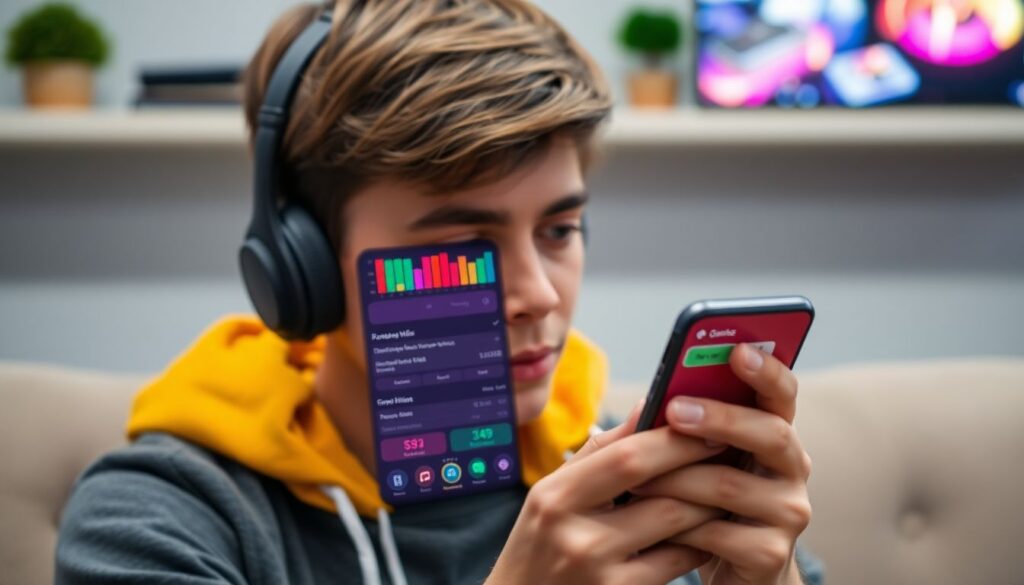
- Use a budgeting or gaming expense tracker app that auto-categorizes gaming purchases.
- Set alerts for when you cross a spending threshold or when a subscription renews.
- This option is helpful if you like automation and are already using finance apps for other spending.
Practical Concerns, Risks, and Quick Solutions
How do I start tracking if I have a long history of untracked spending?
Do not try to reconstruct everything. Start from this month forward, and optionally review the last 1-3 months of bank and store history to estimate averages. Focus on building a habit now rather than achieving perfect historical data.
What if my friends pressure me to buy games and cosmetics I cannot afford?
Set a private monthly cap for gaming and share only that you are “on a budget” without details. Suggest free-to-play options or games you already own. True friends will respect boundaries; if they do not, protect your finances first.
Is it safe to connect my bank or card to budgeting and gaming apps?
Only use reputable apps, read their security policies, and prefer read-only connections or official bank integrations. Avoid giving passwords to third parties; use bank-approved connection methods. If unsure, stick to manual imports (CSV) plus a spreadsheet.
How can I avoid overspending during big sales and seasonal events?
Before the sale, write a shortlist of high-priority items with maximum prices. During the sale, buy only from that list. Limit your browsing time and apply a 24-hour cooling-off rule for unplanned items.
What is a reasonable amount to spend on gaming each month?
There is no universal number. Ensure essentials and savings goals are met first, then assign a modest, fixed percentage of your income to gaming. If you feel stress, guilt, or conflict about your spending, reduce the budget and review your habits.
What if I am already in debt due to gaming purchases?
Pause all non-essential gaming spending immediately and seek help from a financial counselor or trusted advisor. Use your tracking system to understand patterns, but prioritize debt repayment and essential expenses above any new gaming costs.
Can I still enjoy gaming while aggressively cutting costs?
Yes. Focus on backlog games, free-to-play titles with strict spending rules, and community events. Use your analysis to find games with great cost per hour and replay value instead of constantly chasing new releases.