

To turn your gaming PC into a “money machine” without ruining it, treat it like a small business asset: test stability, track temperatures, estimate power costs, then choose low‑risk income streams. Combine active work (like freelance rendering or streaming) with lighter, semi‑passive tasks, and stop immediately if heat, noise, or crashes spike.
What to Know Before You Start Earning with Your Gaming PC
- Not every rig is worth monetizing; aging or unstable hardware can cost more in repairs and power than it earns.
- Start by learning how to make money with gaming pc in low‑risk ways before attempting heavy 24/7 workloads.
- Heat, fan noise, and random crashes are your main warning signs; money never justifies cooking your GPU or SSD.
- The best ways to monetize gaming pc usually blend active work (streaming, freelancing) and background tasks (hosting, light compute).
- Track power usage and local rates; many “passive income ideas with gaming computer” fail once electricity is priced in.
- Keep simple records from day one; income from how to earn money from pc gaming at home may still be taxable.
Evaluate Your Rig: Durability, Bottlenecks and Baseline Metrics
This process suits intermediate users who are comfortable installing software, monitoring temps, and tweaking in BIOS or drivers. Avoid aggressive changes if the PC is under warranty, used for mission‑critical work, or already unstable under normal gaming loads.
Step 1: Confirm Basic Stability
- Run your usual games for at least an hour and note any stutters, freezes, or crashes.
- Use a hardware monitor (for example, vendor tools from your GPU or motherboard) to observe CPU and GPU temperatures and fan speeds.
- If the system already crashes or throttles in normal games, fix that before monetization.
Step 2: Identify Hardware Bottlenecks
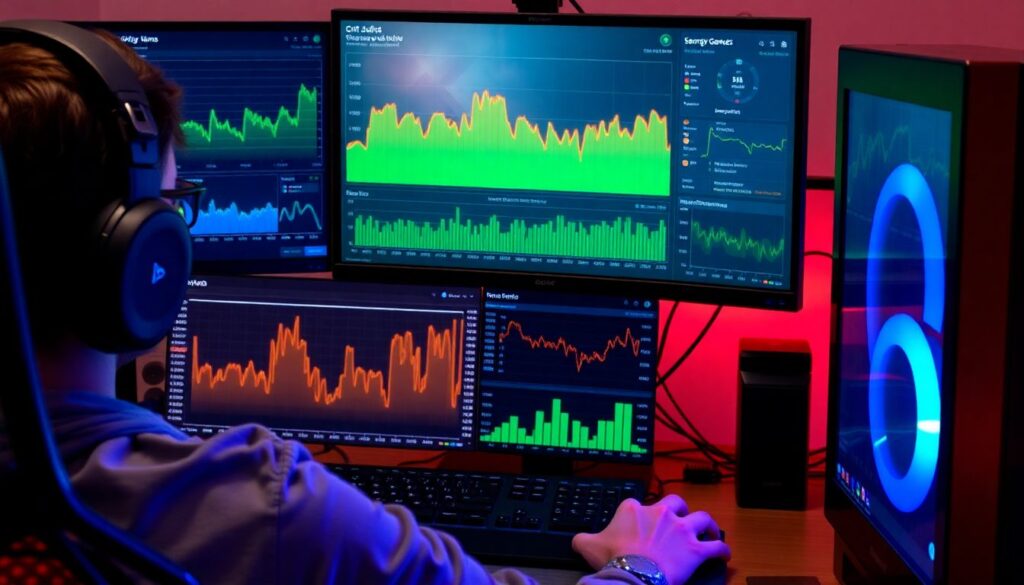
- Check CPU, GPU, RAM, and disk usage while gaming and while multitasking (browser, voice chat, recording).
- If one component is maxed out while others are idle, that bottleneck will limit which earning methods are realistic.
- Examples: GPU‑bound rigs fit mining or rendering; strong CPU with lots of RAM fits hosting or light virtualization.
Step 3: Record Baseline Metrics
- Idle and gaming temperatures for CPU and GPU.
- Average power draw, if possible (via a smart plug, UPS, or external meter).
- Noise level in your room and how it affects you or others, especially if you plan to make money streaming games on pc.
If your PC is already loud, hot, or unstable, direct income efforts toward lighter, scheduled workloads or content creation instead of 24/7 background tasks.
Earning Methods Compared: Mining, Rendering, Hosting, and Streaming
Below is a high‑level comparison of common ways to earn from a gaming computer. It will help you balance income potential, wear on components, and complexity before choosing a path.
| Method | Typical Revenue Potential | Hardware Stress | Payback Time | Complexity | Best Fit Scenario |
|---|---|---|---|---|---|
| Crypto or Token Mining | Unpredictable; often low after power costs | High, mostly on GPU and power delivery | Long and uncertain | Medium to High (wallets, pools, tuning) | Spare GPU time, cheap electricity, tolerance for volatility |
| Freelance Rendering / Video Encoding | Moderate to high, depends on clients | High in short bursts | Short to medium (per project payments) | Medium (software, asset handling, deadlines) | Good CPU/GPU, stable internet, basic creative skills |
| Game / App Server Hosting | Low to moderate subscription style | Medium, mostly CPU and network | Medium | Medium (ports, security, backups) | Solid uptime, decent upload speed, small communities |
| Streaming and Content Creation | Potentially high but slow to build | Medium, mostly while live | Long (audience growth first) | High (branding, consistency, engagement) | Reliable PC, camera/mic, desire to be on camera |
What You Need Before Choosing a Method
- A clear goal: short‑term side cash, long‑term brand, or experimental passive income.
- Rough schedule: when the PC can run jobs unattended and when you need it for gaming or work.
- Knowledge of your ISP rules: some forbid certain server types or commercial hosting.
- Basic backup strategy for any files processed on your machine.
When you evaluate the best ways to monetize gaming pc, consider mixing a low‑effort background service (like a small private game server) with active work such as editing, coaching, or content creation, so that no single method maxes your hardware around the clock.
Safe Performance Tuning: Settings That Boost Income Without Crushing Hardware
Before applying any tuning, treat your PC like production equipment rather than a toy. The goal is smooth, predictable performance, not the highest possible benchmark numbers.
Preparation Checklist for Safe Tuning
- Update GPU, chipset, and network drivers from official vendor sources.
- Create a restore point or full system backup of your OS drive.
- Install reputable monitoring tools for temperatures, fan speeds, and clock speeds.
- Write down your current BIOS and overclocking settings so you can revert quickly.
- Plan a test window when you do not need the PC for time‑sensitive work or ranked matches.
-
Set Conservative Power and Temperature Limits
Use your GPU and CPU control panels to lower maximum power draw slightly and make sure automatic temperature limits are enabled.- Aim for fan curves that keep temps well below manufacturer maximums during long sessions.
- If your case airflow is poor, prioritize lower power over raw performance.
-
Disable Aggressive Overclocks for 24/7 Tasks
High overclocks that are fine for short gaming sessions can cause crashes or silent errors during long rendering or mining jobs.- Revert to stock clocks or modest, well‑tested settings for continuous workloads.
- Test each change with a short stress test rather than assuming stability.
-
Create Separate Profiles for Work and Play
Use software profiles so heavy tasks and gaming use different fan and power settings.- Work profile: cooler, quieter, slightly lower performance but more stable.
- Gaming profile: higher boost allowed, but still with safe temperature limits.
-
Stabilize Background Services
Minimize conflicts by deciding which services are allowed to run alongside income tasks.- Disable unnecessary startup apps that eat CPU, RAM, or disk bandwidth.
- Reserve antivirus full scans and OS updates for off hours, not during paid workloads.
-
Run Incremental Stress Tests and Monitor
After each tuning change, run a stress test or a real‑world workload similar to your chosen earning method.- Check that temperatures plateau at safe levels without rapid spikes or throttling.
- Watch for artifacts, audio crackles, or input lag, then roll back if they appear.
-
Define Clear Stop and Go Indicators
Decide in advance when to continue a job and when to stop to protect hardware.- Go: stable temps below manufacturer limits, no throttling, consistent fan noise.
- Stop: repeated crashes, sudden performance drops, strange smells, or fans spinning at maximum for long periods.
Costs, Power Usage and Legal/Tax Implications

Use this checklist to verify that your chosen path is actually profitable and compliant once real‑world costs are included.
- Confirm your local electricity rate and estimate approximate cost for running workloads during your chosen hours.
- Check whether time‑of‑use pricing makes nights or weekends cheaper for heavy jobs.
- List any paid tools or subscriptions you need for rendering, servers, or streaming.
- Estimate hardware wear by tracking how often fans run hard and how hot components get during jobs.
- Read your ISP terms about hosting servers or using excessive upstream bandwidth.
- Check basic tax rules in your jurisdiction for side income; keep income and expense records from day one.
- Consider noise and heat for everyone in your home, especially for overnight or long sessions.
- Recalculate profits after one month; if net income is tiny or negative, pivot to a different earning mix.
Implementation Checklist: Install, Configure, Test, Monitor
Once you commit to a method-such as small community servers plus occasional rendering gigs-avoid these common mistakes that quietly eat profits or damage hardware.
- Installing random mining or optimization tools from untrusted sources instead of official or well‑reviewed software.
- Skipping basic security steps when hosting servers, such as strong passwords, updates, and limited admin access.
- Running multiple heavy workloads at once (for example, mining, recording, and streaming) so everything performs badly.
- Ignoring error logs or crash reports and simply restarting jobs without finding the root cause.
- Leaving no free time for maintenance, dust cleaning, and updates because the PC is always “earning.”
- Overpromising uptime or render deadlines compared to your real schedule and hardware capacity.
- Neglecting backups for project files, game worlds, or recorded content stored only on a single drive.
- Failing to separate personal, work, and monetization accounts, which complicates both security and taxes.
- Assuming that how to earn money from pc gaming at home is purely passive; most sustainable setups need occasional tuning.
When to Pause, Scale or Replace: Signs of Excessive Wear
Know when to change course so your gaming PC remains useful for years instead of burning out early.
Warning Signs You Should Pause or Reduce Workloads
- Repeated thermal throttling, where performance drops under load even at stock settings.
- New coil whine, grinding fan noises, or unstable fan speeds that were not present before.
- Frequent blue screens, driver crashes, or sudden shutdowns while running income workloads.
- Noticeable degradation in game performance unrelated to software updates or new titles.
When to Scale Up Your Setup
- You have consistent demand for rendering, editing, or hosting beyond your current capacity.
- Your system runs cool and stable, and profits clearly exceed power and wear costs.
- You are ready to reinvest earnings into better cooling, a dedicated work drive, or even a second machine.
Safer Alternatives When Your Hardware Is Aging
- Shift toward content skills that are lighter on hardware, such as coaching, guides, or community management for gamers.
- Use the PC mainly for planning, scripting, and light editing while renting cloud compute for heavy rendering when needed.
- Focus on make money streaming games on pc with lower‑intensity titles that do not max out your GPU and CPU.
- Explore platform‑based passive income ideas with gaming computer skills, such as selling overlay packs, tutorials, or configuration templates instead of selling raw compute power.
Short Answers to Practical Monetization Questions
Is mining still a good way to make money with a gaming PC?
Mining can work in very specific situations with cheap power and efficient GPUs, but returns are highly uncertain. For most users, freelance work, light hosting, or content creation tends to be more predictable and kinder to hardware.
How many hours per day is it safe to run heavy workloads?
It is generally safer to think in terms of temperatures and stability instead of fixed hours. If your system stays within the manufacturer’s temperature limits and remains stable, long sessions are possible; once temps or crashes rise, shorten or split workloads.
Can I use my main gaming PC for paid rendering or editing?
Yes, if it is stable and you schedule jobs sensibly. Run demanding tasks when you do not need to play, keep backups of project files, and avoid extreme overclocks so a rendering crash does not corrupt work or force system repairs.
What is the safest beginner method to make money from a gaming PC?
Light, scheduled tasks such as small private game servers, occasional paid coaching, or basic editing services are safer starting points. They add income without forcing your hardware to run maxed out all day and are easier to control and monitor.
Do I need business registration or can I treat this as a hobby?
That depends on your jurisdiction and income level. Many people start as individuals reporting side income; once earnings grow, local rules may require registration or additional taxes, so check official guidance rather than guessing.
Will streaming full time wear out my PC faster?
Streaming adds load but is not automatically more harmful than heavy gaming. Problems arise when high graphics settings, encoding, and long sessions combine with poor cooling or dust buildup, so prioritize airflow and safe thermal margins.
How do I know if power costs are killing my profits?
Track average power draw during a representative session and multiply by your power rate and hours used. If the resulting cost approaches or exceeds what you are earning, either adjust workloads or switch to methods that rely more on your skills than on raw compute.